Yep, we may get a tiny thank-you (read: commission) when you buy through
links on Autologr — not enough for a yacht, but enough to keep the lights (and
servers) on.
Learn more
14
Highlights
43
Differences
8
Reactions
0
Likes
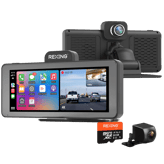
Rexing M2
vs
Rexing M3:
14 Highlights & 43 Differences —
So, Which Dash Cam Actually Works Better
M3 has enhancements in security and emergency, but M2 remains a solid choice. Understand what features matter most to you.
From price to performance, we put Rexing M2 and Rexing M3 through a detailed dash cams comparison — including standout wi-fi frequency band, cloud connectivity, video download via app & firmware update method.
Rexing M2 vs Rexing M3: A Comparison of Video Quality, Features, and Value
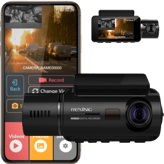
When choosing between the Rexing M2 and Rexing M3, drivers will find both dash cams share core functionalities like collision detection, emergency recording, and wide dynamic range (WDR) technology, ensuring clear footage even in challenging lighting conditions. Both devices use CMOS sensors and fixed focus lenses with a 170° field of view, making them fit for capturing extensive roadway views. However, fundamental differences stand out: the M3 significantly ups the ante with a 2560 x 1440 resolution compared to the M2's 1280 x 480, a supercapacitor power source for enhanced durability under power fluctuations, and a flexible three-part firmware updating system that includes OTA updates. Conversely, the Rexing M2 prioritizes affordability and user convenience by offering app-based video downloads and several power safety features such as battery drain protection and cold start reliability. Let's delve deeper into what makes each model unique.
The Rexing M2: Essential Features With Smart Convenience
The Rexing M2 shines as a budget-friendly option for drivers who want dependable dash cam essentials supplemented by smart functionalities. Its H.264 codec efficiently compresses videos while delivering a solid 30 fps frame rate. Its event video length records 20 seconds before and after an incident, striking a practical balance for capturing the most relevant moments. Users benefit from a battery drain protection system, cold start reliability, and a low-voltage cutoff, which all ensure safer operation in varying temperatures, with a specified range of -4°F to 158°F. These safeguards make it ideal for drivers in colder climates or those who want peace of mind about vehicle battery health.
Another user-centric advantage is the ability to download videos via an app, simplifying the process of reviewing and sharing footage. The M2 supports firmware updates through both an app and SD card, offering straightforward maintenance. Its front and rear windshield installation options provide versatility in vehicle setup without complex hardware kits.
The Rexing M3: High Resolution and Robust Firmware Options
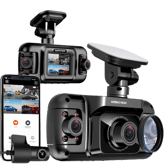
The Rexing M3 is designed for users who prioritize video clarity and firmware management flexibility. Sporting a significantly sharper 2560 x 1440 display and recording resolution, the M3 captures details more vividly than the M2's more modest resolution. Its extended recording capabilities allow event video lengths of up to 3 minutes, providing much longer coverage before and after collisions or incidents.
Additionally, the M3's power system uses a supercapacitor, which improves resilience to high temperatures and power irregularities better than traditional batteries, although it lacks the battery drain protections seen in the M2. It also supports multiple install locations; front windshield, rear windshield, and dashboard; giving users more mounting options. While it does not offer app-based video download, firmware updates can be applied via SD card, OTA, and app, which keeps the device up to date with ease.
Quick Take
The Rexing M2 delivers dependable, user-friendly functionality with essential safety protections and convenient app integration at a wallet-friendly price. On the other hand, the Rexing M3 appeals to users needing higher video fidelity and flexible firmware updating, offering a more professional-grade dash cam experience in exchange for higher cost and missing some power safety features.
Bottom Line
For those seeking the best value with smart features like app video access and power safeguards, the Rexing M2 is the clear pick at roughly $99.99 at RexingUSA. However, if ultra-high resolution video and more comprehensive firmware update options matter most, and you don't mind spending a bit extra, the Rexing M3 commands attention despite its limited app conveniences and fewer power protections.
Verdict
Winner: Rexing M2 - Balances affordability, essential dash cam features, and user-friendly app integration with valuable power safety mechanisms.
Runner-up: Rexing M3 - Boasts superior video resolution and firmware update flexibility but at a higher price and with fewer convenience features.
0
Rexing M2
1Votes
Front Windshield, Rear Windshield
0
Rexing M3
0Votes
Front Windshield, Rear Windshield, Dashboard
vs
Installation Location
Rexing M2 can be installed on the Front and Rear Windshield, while Rexing M3 additionally supports Dashboard installation. Thus, Rexing M3 offers more flexibility in installation locations.
Indicates the physical installation position inside the vehicle.
In the battle of Installation Location,
Rexing M2 ◉ is
same as
Rexing M3 ◉
.
Based on community votes for Installation Location,
Rexing M2 ◉ earned
1 votes,
more than
Rexing M3 ◉,
which got 0 votes.
Who knows?
0Votes
Rexing M3
(Help us out by suggesting one!)
vs
Operating Temperature Range
Rexing M2 supports an Operating Temperature Range from -4°F to 158°F, while Rexing M3 does not provide this information. This makes Rexing M2 more reliable for use in extreme temperature environments.
Defines the temperature range where the dash cam operates reliably.
Don’t keep it to yourself — be the first to react and review the
Operating Temperature Range on Rexing M2 ◉
vs Rexing M3 ◉ and help others decide!
0
Rexing M2
0Votes
Audio Recording Toggle, Timestamp Control
0
Rexing M3
0Votes
Audio Recording Toggle, Timestamp Control
vs
Legal Compliance Mode
Both Rexing M2 and Rexing M3 share the same Legal Compliance Mode featuring Audio Recording Toggle and Timestamp Control. They equally cater to compliance needs without preference in this specification.
Supports compliance with local recording and privacy laws.
In the battle of Legal Compliance Mode,
Rexing M2 ◉ is
same as
Rexing M3 ◉
.
Don’t keep it to yourself — be the first to react and review the
Legal Compliance Mode on Rexing M2 ◉
vs Rexing M3 ◉ and help others decide!
Neither Rexing M2 nor Rexing M3 includes a Removable Unit, making both units fixed in their installation and design. Users looking for removable camera units should consider other options as these both lack this feature.
Indicates whether the main unit can be easily removed.
In the battle of Removable Unit,
Rexing M2 ◉ is
same as
Rexing M3 ◉
.
Don’t keep it to yourself — be the first to react and review the
Removable Unit on Rexing M2 ◉
vs Rexing M3 ◉ and help others decide!
Modular Design is not available on either Rexing M2 or Rexing M3, as both do not support modular design. Neither dash cam offers flexibility through modular components, so neither stands out in this feature.
Specifies whether components can be added or replaced separately.
In the battle of Modular Design,
Rexing M2 ◉ is
same as
Rexing M3 ◉
.
Don’t keep it to yourself — be the first to react and review the
Modular Design on Rexing M2 ◉
vs Rexing M3 ◉ and help others decide!
Release Year
What year was it released?
0
Rexing M2
0Votes
2023
0
Rexing M3
0Votes
2021
Rexing M2
Release year is 2023, reflecting recent feature sets and firmware update support.
Rexing M3
The dash cam model was released in the year 2021, reflecting relatively recent technology and features.
Indicates the year the product model was released.
In the battle of Release Year,
Rexing M2 ◉ is
same as
Rexing M3 ◉
.
Don’t keep it to yourself — be the first to react and review the
Release Year on Rexing M2 ◉
vs Rexing M3 ◉ and help others decide!
0
Rexing M2
0Votes
20 Seconds Before and After Event
0
Rexing M3
1Votes
1/2/3 Minutes
vs
Event Video Length
Rexing M2 saves Event Video Lengths of 20 seconds before and after an event, while Rexing M3 increases this range to selectable 30 seconds to 3 minutes. Rexing M3 is better for longer incident recording.
Defines the duration of automatically saved event recordings.
In the battle of Event Video Length,
Rexing M2 ◉ is
same as
Rexing M3 ◉
.
Based on community votes for Event Video Length,
Rexing M2 ◉ earned
0 votes,
less than
Rexing M3 ◉,
which got 1 votes.
Both Rexing M2 and Rexing M3 record front video at 30 Hz frame rate, delivering smooth footage evenly. Neither has an advantage here as video fluidity is the same.
Measures how smoothly the front camera records motion.
In the battle of Front Frame Rate,
Rexing M2 ◉ is
same as
Rexing M3 ◉
, delivering
equal
30.00 Hz
measurement.
Don’t keep it to yourself — be the first to react and review the
Front Frame Rate on Rexing M2 ◉
vs Rexing M3 ◉ and help others decide!
Both Rexing M2 and Rexing M3 use the H.264 video codec, ensuring efficient compression with good video quality preserved. There is no codec superiority between the two devices.
Defines the compression format used for video files.
In the battle of Video Codec,
Rexing M2 ◉ is
same as
Rexing M3 ◉
.
Don’t keep it to yourself — be the first to react and review the
Video Codec on Rexing M2 ◉
vs Rexing M3 ◉ and help others decide!
Both Rexing M2 and Rexing M3 include Wide Dynamic Range (WDR) to improve video quality under varied lighting. This helps with capturing clear footage and neither has a distinct advantage here.
Enhances visibility in mixed lighting conditions.
In the battle of WDR,
Rexing M2 ◉ is
same as
Rexing M3 ◉
.
Don’t keep it to yourself — be the first to react and review the
WDR on Rexing M2 ◉
vs Rexing M3 ◉ and help others decide!
Emergency Recording is supported on both Rexing M2 and Rexing M3, providing automatic incident capture to protect drivers. Both offer equal safety assurance in this feature.
Locks footage during detected incidents.
In the battle of Emergency Recording,
Rexing M2 ◉ is
same as
Rexing M3 ◉
.
Don’t keep it to yourself — be the first to react and review the
Emergency Recording on Rexing M2 ◉
vs Rexing M3 ◉ and help others decide!
Rear Camera Resolution
What is the rear camera resolution?
0
Rexing M2
0Votes
1080p
0
Rexing M3
0Votes
1080p
Rexing M2
Rear camera records at 1080p, suitable for clear license plate and scene detail under normal conditions.
Rexing M3
Rear camera resolution is 1080p, providing high definition video quality for the rear view.
Indicates the resolution of the rear-facing camera.
In the battle of Rear Camera Resolution,
Rexing M2 ◉ is
same as
Rexing M3 ◉
.
Don’t keep it to yourself — be the first to react and review the
Rear Camera Resolution on Rexing M2 ◉
vs Rexing M3 ◉ and help others decide!
Audio Recording
Does it record audio?
Yes
0Votes
Rexing M2
Yes
0Votes
Rexing M3
Rexing M2
Yes — onboard audio recording is enabled, which can capture in-cabin sounds but may be subject to local privacy laws.
Rexing M3
Audio recording is supported, ensuring that sound is captured along with video footage for greater context.
Captures in-cabin audio alongside video.
In the battle of Audio Recording,
Rexing M2 ◉ is
same as
Rexing M3 ◉
.
Don’t keep it to yourself — be the first to react and review the
Audio Recording on Rexing M2 ◉
vs Rexing M3 ◉ and help others decide!
Interior Camera Resolution
What is the interior camera resolution?
Who knows?
0Votes
Rexing M2
(Help us out by suggesting one!)
0
Rexing M3
0Votes
1080p
Rexing M3
The interior camera records in 1080p resolution, ensuring clear and detailed video of the vehicle's interior.
Defines the resolution of the interior-facing camera.
Don’t keep it to yourself — be the first to react and review the
Interior Camera Resolution on Rexing M2 ◉
vs Rexing M3 ◉ and help others decide!
Rear Frame Rate
What is the rear camera frame rate?
30
Hz
0Votes
30
Hz
0Votes
Rexing M3
The rear camera records video at a frame rate of 30 Hz, ensuring smooth and clear motion capture.
Indicates the rear camera’s recording smoothness.
In the battle of Rear Frame Rate,
Rexing M2 ◉ is
same as
Rexing M3 ◉
, delivering
equal
30.00 Hz
measurement.
Don’t keep it to yourself — be the first to react and review the
Rear Frame Rate on Rexing M2 ◉
vs Rexing M3 ◉ and help others decide!
Loop Recording
Does it support loop recording?
Yes
0Votes
Rexing M2
Yes
0Votes
Rexing M3
Rexing M2
Yes — loop recording overwrites the oldest footage when the card is full so continuous recording is maintained.
Automatically overwrites old footage when storage is full.
In the battle of Loop Recording,
Rexing M2 ◉ is
same as
Rexing M3 ◉
.
Don’t keep it to yourself — be the first to react and review the
Loop Recording on Rexing M2 ◉
vs Rexing M3 ◉ and help others decide!
Front Camera Resolution
What is the front camera resolution?
0
Rexing M2
0Votes
1440p
0
Rexing M3
0Votes
1080p
Specifies the video resolution of the front-facing camera.
In the battle of Front Camera Resolution,
Rexing M2 ◉ is
same as
Rexing M3 ◉
.
Don’t keep it to yourself — be the first to react and review the
Front Camera Resolution on Rexing M2 ◉
vs Rexing M3 ◉ and help others decide!
Interior Frame Rate
What is the interior camera frame rate?
Who knows?
0Votes
Rexing M2
(Help us out by suggesting one!)
30
Hz
0Votes
Measures frame rate for interior video recording.
Don’t keep it to yourself — be the first to react and review the
Interior Frame Rate on Rexing M2 ◉
vs Rexing M3 ◉ and help others decide!
Video Bitrate
What is the video bitrate?
Who knows?
0Votes
Rexing M2
(Help us out by suggesting one!)
Who knows?
0Votes
Rexing M3
(Help us out by suggesting one!)
Describes the data rate used for video encoding quality.
Don’t keep it to yourself — be the first to react and review the
Video Bitrate on Rexing M2 ◉
vs Rexing M3 ◉ and help others decide!
HDR
Does it support HDR?
No
0Votes
Rexing M2
No
0Votes
Rexing M3
Indicates support for High Dynamic Range video.
In the battle of HDR,
Rexing M2 ◉ is
same as
Rexing M3 ◉
.
Don’t keep it to yourself — be the first to react and review the
HDR on Rexing M2 ◉
vs Rexing M3 ◉ and help others decide!
Night Vision Mode
Does it have night vision?
Yes
0Votes
Rexing M2
Yes
0Votes
Rexing M3
Enables improved recording in low-light conditions.
In the battle of Night Vision Mode,
Rexing M2 ◉ is
same as
Rexing M3 ◉
.
Don’t keep it to yourself — be the first to react and review the
Night Vision Mode on Rexing M2 ◉
vs Rexing M3 ◉ and help others decide!
Infrared Night Vision
Does it support infrared night vision?
No
0Votes
Rexing M2
No
0Votes
Rexing M3
Uses infrared LEDs for interior or low-light recording.
In the battle of Infrared Night Vision,
Rexing M2 ◉ is
same as
Rexing M3 ◉
.
Don’t keep it to yourself — be the first to react and review the
Infrared Night Vision on Rexing M2 ◉
vs Rexing M3 ◉ and help others decide!
Low-Light Enhancement
Is low-light enhanced?
Yes
0Votes
Rexing M2
Yes
0Votes
Rexing M3
Improves video clarity in dark environments.
In the battle of Low-Light Enhancement,
Rexing M2 ◉ is
same as
Rexing M3 ◉
.
Don’t keep it to yourself — be the first to react and review the
Low-Light Enhancement on Rexing M2 ◉
vs Rexing M3 ◉ and help others decide!
Continuous Recording
Can it record continuously?
Yes
0Votes
Rexing M2
Yes
0Votes
Rexing M3
Indicates support for uninterrupted recording sessions.
In the battle of Continuous Recording,
Rexing M2 ◉ is
same as
Rexing M3 ◉
.
Don’t keep it to yourself — be the first to react and review the
Continuous Recording on Rexing M2 ◉
vs Rexing M3 ◉ and help others decide!
Dual Recording
Does it support dual recording?
Yes
0Votes
Rexing M2
Yes
0Votes
Rexing M3
Allows simultaneous front and rear recording.
In the battle of Dual Recording,
Rexing M2 ◉ is
same as
Rexing M3 ◉
.
Don’t keep it to yourself — be the first to react and review the
Dual Recording on Rexing M2 ◉
vs Rexing M3 ◉ and help others decide!
Triple Channel Recording
Does it support triple recording?
No
0Votes
Rexing M2
Yes
0Votes
Rexing M3
Supports front, rear, and interior recording together.
In the battle of Triple Channel Recording,
Rexing M2 ◉ is
worse than
Rexing M3 ◉
.
Don’t keep it to yourself — be the first to react and review the
Triple Channel Recording on Rexing M2 ◉
vs Rexing M3 ◉ and help others decide!
Time-Lapse Recording
Is time-lapse recording available?
Who knows?
0Votes
Rexing M2
(Help us out by suggesting one!)
Who knows?
0Votes
Rexing M3
(Help us out by suggesting one!)
Captures frames at intervals to save storage.
Don’t keep it to yourself — be the first to react and review the
Time-Lapse Recording on Rexing M2 ◉
vs Rexing M3 ◉ and help others decide!
Parking Recording Mode
Does it record while parked?
Yes
0Votes
Rexing M2
Yes
0Votes
Rexing M3
Enables recording while the vehicle is parked.
In the battle of Parking Recording Mode,
Rexing M2 ◉ is
same as
Rexing M3 ◉
.
Don’t keep it to yourself — be the first to react and review the
Parking Recording Mode on Rexing M2 ◉
vs Rexing M3 ◉ and help others decide!
Recording Delay After Ignition
How long does recording continue after ignition off?
0
Rexing M2
0Votes
Automatic Start With Ignition
0
Rexing M3
0Votes
immediate
Specifies how long recording continues after the engine is turned off.
In the battle of Recording Delay After Ignition,
Rexing M2 ◉ is
same as
Rexing M3 ◉
.
Don’t keep it to yourself — be the first to react and review the
Recording Delay After Ignition on Rexing M2 ◉
vs Rexing M3 ◉ and help others decide!
Audio Recording Disable Option
Can audio recording be disabled?
Yes
0Votes
Rexing M2
Yes
0Votes
Rexing M3
Allows users to turn off audio recording.
In the battle of Audio Recording Disable Option,
Rexing M2 ◉ is
same as
Rexing M3 ◉
.
Don’t keep it to yourself — be the first to react and review the
Audio Recording Disable Option on Rexing M2 ◉
vs Rexing M3 ◉ and help others decide!
Both Rexing M2 and Rexing M3 feature Fixed Focus Type lens systems, leading to consistent focus without manual adjustments. This makes user experience similar regarding focus.
Describes how the camera focuses on objects.
In the battle of Focus Type,
Rexing M2 ◉ is
same as
Rexing M3 ◉
.
Don’t keep it to yourself — be the first to react and review the
Focus Type on Rexing M2 ◉
vs Rexing M3 ◉ and help others decide!
Both Rexing M2 and Rexing M3 have a Front Lens Field of View of 170 degrees, providing wide coverage on the road to capture relevant surroundings equally well.
Indicates how wide the front camera can capture the road.
In the battle of Front Lens Field of View,
Rexing M2 ◉ is
same as
Rexing M3 ◉
, delivering
equal
170.00 degree
measurement.
Don’t keep it to yourself — be the first to react and review the
Front Lens Field of View on Rexing M2 ◉
vs Rexing M3 ◉ and help others decide!
Rexing M2 has a screen resolution of 1280 x 480, while Rexing M3 doubles the resolution to 2560 x 1440. Rexing M3 offers substantially sharper and clearer display visuals.
Defines the pixel resolution of the display.
In the battle of Screen Resolution,
Rexing M2 ◉ is
same as
Rexing M3 ◉
.
Based on community votes for Screen Resolution,
Rexing M2 ◉ earned
0 votes,
less than
Rexing M3 ◉,
which got 1 votes.
Both Rexing M2 and Rexing M3 feature a 12-inch Display Size, offering ample screen space for viewing footage and settings comfortably. There is no size difference.
Measures the diagonal size of the built-in screen.
In the battle of Display Size,
Rexing M2 ◉ is
same as
Rexing M3 ◉
, delivering
equal
12.00 inch
measurement.
Don’t keep it to yourself — be the first to react and review the
Display Size on Rexing M2 ◉
vs Rexing M3 ◉ and help others decide!
Both Rexing M2 and Rexing M3 include Status LED Indicators, providing visual feedback on device status. Both models match well in operational convenience.
Uses LED lights to show recording or system status.
In the battle of Status LED Indicators,
Rexing M2 ◉ is
same as
Rexing M3 ◉
.
Don’t keep it to yourself — be the first to react and review the
Status LED Indicators on Rexing M2 ◉
vs Rexing M3 ◉ and help others decide!
Neither Rexing M2 nor Rexing M3 has Voice Control functionality, so voice commands are not possible with these models. They are equally limited in this user interaction.
Allows hands-free control using voice commands.
In the battle of Voice Control,
Rexing M2 ◉ is
same as
Rexing M3 ◉
.
Don’t keep it to yourself — be the first to react and review the
Voice Control on Rexing M2 ◉
vs Rexing M3 ◉ and help others decide!
Who knows?
0Votes
Rexing M3
(Help us out by suggesting one!)
vs
Language Support
Rexing M2 supports multiple languages including English and Spanish, while Rexing M3's language support is unavailable. Rexing M2 is more inclusive for international users.
Specifies supported system interface languages.
Don’t keep it to yourself — be the first to react and review the
Language Support on Rexing M2 ◉
vs Rexing M3 ◉ and help others decide!
Built-in Display
Does it have a built-in display?
Yes
0Votes
Rexing M2
Yes
0Votes
Rexing M3
Rexing M3
The camera includes a built-in display, allowing users to view live footage or playback directly on the device.
Indicates whether the dash cam includes an integrated screen.
In the battle of Built-in Display,
Rexing M2 ◉ is
same as
Rexing M3 ◉
.
Don’t keep it to yourself — be the first to react and review the
Built-in Display on Rexing M2 ◉
vs Rexing M3 ◉ and help others decide!
Display Type
What type of display does it use?
0
Rexing M2
0Votes
IPS
0
Rexing M3
0Votes
IPS
Rexing M3
The dash cam display uses IPS technology, which offers wide viewing angles and accurate color reproduction.
Describes the screen technology used.
In the battle of Display Type,
Rexing M2 ◉ is
same as
Rexing M3 ◉
.
Don’t keep it to yourself — be the first to react and review the
Display Type on Rexing M2 ◉
vs Rexing M3 ◉ and help others decide!
Touchscreen
Is the display touchscreen-enabled?
Yes
0Votes
Rexing M2
Yes
0Votes
Rexing M3
Rexing M2
Yes — the main display supports touch input, making menu navigation and quick setting changes more intuitive while parked.
Indicates whether the screen supports touch input.
In the battle of Touchscreen,
Rexing M2 ◉ is
same as
Rexing M3 ◉
.
Don’t keep it to yourself — be the first to react and review the
Touchscreen on Rexing M2 ◉
vs Rexing M3 ◉ and help others decide!
Screen Rotation
Does the screen rotate automatically?
No
0Votes
Rexing M2
No
0Votes
Rexing M3
Allows the display to rotate based on mounting orientation.
In the battle of Screen Rotation,
Rexing M2 ◉ is
same as
Rexing M3 ◉
.
Don’t keep it to yourself — be the first to react and review the
Screen Rotation on Rexing M2 ◉
vs Rexing M3 ◉ and help others decide!
Screen Auto-Off
Does the screen turn off automatically?
Who knows?
0Votes
Rexing M2
(Help us out by suggesting one!)
Who knows?
0Votes
Rexing M3
(Help us out by suggesting one!)
Turns off the screen automatically to reduce distraction.
Don’t keep it to yourself — be the first to react and review the
Screen Auto-Off on Rexing M2 ◉
vs Rexing M3 ◉ and help others decide!
Physical Control Buttons
Does it have physical buttons?
No
0Votes
Rexing M2
No
0Votes
Rexing M3
Indicates presence of tactile buttons for control.
In the battle of Physical Control Buttons,
Rexing M2 ◉ is
same as
Rexing M3 ◉
.
Don’t keep it to yourself — be the first to react and review the
Physical Control Buttons on Rexing M2 ◉
vs Rexing M3 ◉ and help others decide!
Voice Prompt
Are voice prompts supported?
No
0Votes
Rexing M2
No
0Votes
Rexing M3
Provides spoken alerts and system notifications.
In the battle of Voice Prompt,
Rexing M2 ◉ is
same as
Rexing M3 ◉
.
Don’t keep it to yourself — be the first to react and review the
Voice Prompt on Rexing M2 ◉
vs Rexing M3 ◉ and help others decide!
Both Rexing M2 and Rexing M3 operate on the 2.4GHz Wi-Fi Frequency Band for wireless connectivity. They provide similar wireless performance in this aspect.
Specifies supported Wi-Fi bands for connection stability and speed.
In the battle of Wi-Fi Frequency Band,
Rexing M2 ◉ is
same as
Rexing M3 ◉
.
Don’t keep it to yourself — be the first to react and review the
Wi-Fi Frequency Band on Rexing M2 ◉
vs Rexing M3 ◉ and help others decide!
Rexing M2 allows Video Download via App, contrasting with Rexing M3 which lacks this feature. Rexing M2 offers more convenient access and sharing of recorded footage.
Allows recorded videos to be downloaded directly to a phone.
In the battle of Video Download via App,
Rexing M2 ◉ is
better than
Rexing M3 ◉
.
Based on community votes for Video Download via App,
Rexing M2 ◉ earned
1 votes,
more than
Rexing M3 ◉,
which got 0 votes.
Rexing M2 supports firmware updates via both App-Based and SD Card methods, whereas Rexing M3 only supports SD Card updates. Rexing M2 provides an easier and more versatile update process.
Describes how firmware updates are delivered and installed.
In the battle of Firmware Update Method,
Rexing M2 ◉ is
same as
Rexing M3 ◉
.
Based on community votes for Firmware Update Method,
Rexing M2 ◉ earned
0 votes,
less than
Rexing M3 ◉,
which got 1 votes.
Cloud Connectivity is not supported by either Rexing M2 or Rexing M3, meaning footage storage and management on the cloud is unavailable. Neither excels in cloud-based features.
Allows footage upload and access via cloud services.
In the battle of Cloud Connectivity,
Rexing M2 ◉ is
same as
Rexing M3 ◉
.
Don’t keep it to yourself — be the first to react and review the
Cloud Connectivity on Rexing M2 ◉
vs Rexing M3 ◉ and help others decide!
Neither Rexing M2 nor Rexing M3 offers Driver Assistance Alerts, so safety alert features beyond recording are not available. Both are similar regarding this specification.
Provides alerts related to driving behavior or road conditions.
In the battle of Driver Assistance Alerts,
Rexing M2 ◉ is
same as
Rexing M3 ◉
.
Don’t keep it to yourself — be the first to react and review the
Driver Assistance Alerts on Rexing M2 ◉
vs Rexing M3 ◉ and help others decide!
GPS Speed Logging
Does it log driving speed?
Yes
0Votes
Rexing M2
Yes
0Votes
Rexing M3
Rexing M2
Yes — the dash cam logs vehicle speed data alongside GPS coordinates, useful for corroborating recorded events.
Records vehicle speed data alongside video footage.
In the battle of GPS Speed Logging,
Rexing M2 ◉ is
same as
Rexing M3 ◉
.
Don’t keep it to yourself — be the first to react and review the
GPS Speed Logging on Rexing M2 ◉
vs Rexing M3 ◉ and help others decide!
Wi-Fi Connectivity
Does it support Wi-Fi?
Yes
0Votes
Rexing M2
Yes
0Votes
Rexing M3
Rexing M3
Wi-Fi connectivity feature is enabled, allowing wireless network access for user convenience.
Indicates whether the dash cam supports Wi-Fi connectivity.
In the battle of Wi-Fi Connectivity,
Rexing M2 ◉ is
same as
Rexing M3 ◉
.
Don’t keep it to yourself — be the first to react and review the
Wi-Fi Connectivity on Rexing M2 ◉
vs Rexing M3 ◉ and help others decide!
Bluetooth Connectivity
Does it support Bluetooth?
No
0Votes
Rexing M2
No
0Votes
Rexing M3
Enables short-range wireless communication with other devices.
In the battle of Bluetooth Connectivity,
Rexing M2 ◉ is
same as
Rexing M3 ◉
.
Don’t keep it to yourself — be the first to react and review the
Bluetooth Connectivity on Rexing M2 ◉
vs Rexing M3 ◉ and help others decide!
Mobile App Support
Is there a mobile app?
Yes
0Votes
Rexing M2
No
0Votes
Rexing M3
Indicates compatibility with a companion mobile application.
In the battle of Mobile App Support,
Rexing M2 ◉ is
better than
Rexing M3 ◉
.
Don’t keep it to yourself — be the first to react and review the
Mobile App Support on Rexing M2 ◉
vs Rexing M3 ◉ and help others decide!
Live View via App
Can you view live footage in the app?
Yes
0Votes
Rexing M2
No
0Votes
Rexing M3
Enables real-time camera viewing through the mobile app.
In the battle of Live View via App,
Rexing M2 ◉ is
better than
Rexing M3 ◉
.
Don’t keep it to yourself — be the first to react and review the
Live View via App on Rexing M2 ◉
vs Rexing M3 ◉ and help others decide!
GPS Module
Does it have GPS?
Yes
0Votes
Rexing M2
Yes
0Votes
Rexing M3
Indicates whether a built-in GPS module is included.
In the battle of GPS Module,
Rexing M2 ◉ is
same as
Rexing M3 ◉
.
Don’t keep it to yourself — be the first to react and review the
GPS Module on Rexing M2 ◉
vs Rexing M3 ◉ and help others decide!
GPS Location Logging
Does it log GPS location?
Yes
0Votes
Rexing M2
Yes
0Votes
Rexing M3
Captures location coordinates with recorded footage.
In the battle of GPS Location Logging,
Rexing M2 ◉ is
same as
Rexing M3 ◉
.
Don’t keep it to yourself — be the first to react and review the
GPS Location Logging on Rexing M2 ◉
vs Rexing M3 ◉ and help others decide!
AI Event Detection
Does it use AI event detection?
No
0Votes
Rexing M2
No
0Votes
Rexing M3
Uses AI to detect incidents like collisions or sudden braking.
In the battle of AI Event Detection,
Rexing M2 ◉ is
same as
Rexing M3 ◉
.
Don’t keep it to yourself — be the first to react and review the
AI Event Detection on Rexing M2 ◉
vs Rexing M3 ◉ and help others decide!
Smart Notifications
Are smart notifications supported?
No
0Votes
Rexing M2
No
0Votes
Rexing M3
Sends alerts to the user for important events or incidents.
In the battle of Smart Notifications,
Rexing M2 ◉ is
same as
Rexing M3 ◉
.
Don’t keep it to yourself — be the first to react and review the
Smart Notifications on Rexing M2 ◉
vs Rexing M3 ◉ and help others decide!
Collision Detection is featured in both Rexing M2 and Rexing M3, automatically detecting impacts and securing footage. Both support enhanced safety with this technology equally.
Automatically detects collisions while driving.
In the battle of Collision Detection,
Rexing M2 ◉ is
same as
Rexing M3 ◉
.
Don’t keep it to yourself — be the first to react and review the
Collision Detection on Rexing M2 ◉
vs Rexing M3 ◉ and help others decide!
Who knows?
0Votes
Rexing M2
(Help us out by suggesting one!)
Who knows?
0Votes
Rexing M3
(Help us out by suggesting one!)
vs
Low-Voltage Cutoff
Low-Voltage Cutoff exists in Rexing M2 but is unavailable for Rexing M3. The M2 is safer for vehicle battery management by avoiding excessive discharge.
Automatically cuts power when voltage drops too low.
Don’t keep it to yourself — be the first to react and review the
Low-Voltage Cutoff on Rexing M2 ◉
vs Rexing M3 ◉ and help others decide!
File Lock Protection is enabled on both Rexing M2 and Rexing M3, preventing important files from accidental deletion. Both provide valuable data security features.
Protects important footage from being overwritten.
In the battle of File Lock Protection,
Rexing M2 ◉ is
same as
Rexing M3 ◉
.
Don’t keep it to yourself — be the first to react and review the
File Lock Protection on Rexing M2 ◉
vs Rexing M3 ◉ and help others decide!
Neither Rexing M2 nor Rexing M3 supports Emergency SOS Recording, so neither can trigger SOS alerts or special emergency modes. They are equivalent in this regard.
Automatically records and protects footage during emergencies.
In the battle of Emergency SOS Recording,
Rexing M2 ◉ is
same as
Rexing M3 ◉
.
Don’t keep it to yourself — be the first to react and review the
Emergency SOS Recording on Rexing M2 ◉
vs Rexing M3 ◉ and help others decide!
G-Sensor
Does it have a G-sensor?
Yes
0Votes
Rexing M2
Yes
0Votes
Rexing M3
Detects sudden impacts or collisions automatically.
In the battle of G-Sensor,
Rexing M2 ◉ is
same as
Rexing M3 ◉
.
Don’t keep it to yourself — be the first to react and review the
G-Sensor on Rexing M2 ◉
vs Rexing M3 ◉ and help others decide!
Parking Mode Impact Detection
Does it detect impacts in parking mode?
Yes
0Votes
Rexing M2
Yes
0Votes
Rexing M3
Detects impacts while the vehicle is parked.
In the battle of Parking Mode Impact Detection,
Rexing M2 ◉ is
same as
Rexing M3 ◉
.
Don’t keep it to yourself — be the first to react and review the
Parking Mode Impact Detection on Rexing M2 ◉
vs Rexing M3 ◉ and help others decide!
Parking Mode Motion Detection
Does it detect motion while parked?
Yes
0Votes
Rexing M2
Yes
0Votes
Rexing M3
Triggers recording when motion is detected near the vehicle.
In the battle of Parking Mode Motion Detection,
Rexing M2 ◉ is
same as
Rexing M3 ◉
.
Don’t keep it to yourself — be the first to react and review the
Parking Mode Motion Detection on Rexing M2 ◉
vs Rexing M3 ◉ and help others decide!
Tamper Detection
Does it detect tampering?
No
0Votes
Rexing M2
No
0Votes
Rexing M3
Detects unauthorized handling or movement of the device.
In the battle of Tamper Detection,
Rexing M2 ◉ is
same as
Rexing M3 ◉
.
Don’t keep it to yourself — be the first to react and review the
Tamper Detection on Rexing M2 ◉
vs Rexing M3 ◉ and help others decide!
Encrypted Video Storage
Is video storage encrypted?
No
0Votes
Rexing M2
No
0Votes
Rexing M3
Encrypts stored footage for privacy and security.
In the battle of Encrypted Video Storage,
Rexing M2 ◉ is
same as
Rexing M3 ◉
.
Don’t keep it to yourself — be the first to react and review the
Encrypted Video Storage on Rexing M2 ◉
vs Rexing M3 ◉ and help others decide!
Theft Deterrence Mode
Does it have theft deterrence features?
No
0Votes
Rexing M2
No
0Votes
Rexing M3
Provides features to discourage theft or misuse.
In the battle of Theft Deterrence Mode,
Rexing M2 ◉ is
same as
Rexing M3 ◉
.
Don’t keep it to yourself — be the first to react and review the
Theft Deterrence Mode on Rexing M2 ◉
vs Rexing M3 ◉ and help others decide!
Driver Fatigue Alert
Does it provide fatigue alerts?
No
0Votes
Rexing M2
No
0Votes
Rexing M3
Alerts the driver when signs of fatigue are detected.
In the battle of Driver Fatigue Alert,
Rexing M2 ◉ is
same as
Rexing M3 ◉
.
Don’t keep it to yourself — be the first to react and review the
Driver Fatigue Alert on Rexing M2 ◉
vs Rexing M3 ◉ and help others decide!
Lane Departure Alert
Does it have lane departure alerts?
No
0Votes
Rexing M2
No
0Votes
Rexing M3
Warns the driver if the vehicle drifts from its lane.
In the battle of Lane Departure Alert,
Rexing M2 ◉ is
same as
Rexing M3 ◉
.
Don’t keep it to yourself — be the first to react and review the
Lane Departure Alert on Rexing M2 ◉
vs Rexing M3 ◉ and help others decide!
Forward Collision Warning
Does it provide forward collision warnings?
No
0Votes
Rexing M2
No
0Votes
Rexing M3
Alerts the driver of potential frontal collisions.
In the battle of Forward Collision Warning,
Rexing M2 ◉ is
same as
Rexing M3 ◉
.
Don’t keep it to yourself — be the first to react and review the
Forward Collision Warning on Rexing M2 ◉
vs Rexing M3 ◉ and help others decide!
Rexing M2 lacks a Supercapacitor, whereas Rexing M3 includes one to ensure stable power during shutdowns. Rexing M3 has improved power resilience for data protection.
Indicates support for supercapacitors instead of batteries.
In the battle of Supercapacitor,
Rexing M2 ◉ is
worse than
Rexing M3 ◉
.
Based on community votes for Supercapacitor,
Rexing M2 ◉ earned
0 votes,
less than
Rexing M3 ◉,
which got 1 votes.
Rexing M2 uses a 5 Volt Power Input Voltage while Rexing M3 runs on 12 Volt input. Rexing M3 aligns more with standard vehicle power systems for easier integration.
Defines the voltage required to power the dash cam.
In the battle of Power Input Voltage,
Rexing M2 ◉ is
worse than
Rexing M3 ◉
, delivering
lower
7.0 Volt
measurement.
Based on community votes for Power Input Voltage,
Rexing M2 ◉ earned
0 votes,
less than
Rexing M3 ◉,
which got 1 votes.
Both Rexing M2 and Rexing M3 do not include a Hardwire Kit, requiring separate purchase for permanent vehicle wiring. They are equal in installation accessory provision.
Indicates compatibility with a dedicated hardwire kit.
In the battle of Hardwire Kit,
Rexing M2 ◉ is
same as
Rexing M3 ◉
.
Don’t keep it to yourself — be the first to react and review the
Hardwire Kit on Rexing M2 ◉
vs Rexing M3 ◉ and help others decide!
Who knows?
0Votes
Rexing M2
(Help us out by suggesting one!)
Who knows?
0Votes
Rexing M3
(Help us out by suggesting one!)
vs
Heat Resistance Design
Heat Resistance Design is present in Rexing M2 but unavailable for Rexing M3, suggesting M2 is more reliable in hot climates or prolonged exposure to heat.
Designed to withstand high in-vehicle temperatures.
Don’t keep it to yourself — be the first to react and review the
Heat Resistance Design on Rexing M2 ◉
vs Rexing M3 ◉ and help others decide!
Auto Power On
Does it power on automatically?
Yes
0Votes
Rexing M2
Yes
0Votes
Rexing M3
Rexing M2
Yes — the unit will power on automatically with vehicle ignition, ensuring recording starts without manual intervention.
Rexing M3
Auto power on feature is enabled, so the dash cam will start recording automatically when the vehicle powers up.
Automatically turns on with vehicle ignition.
In the battle of Auto Power On,
Rexing M2 ◉ is
same as
Rexing M3 ◉
.
Don’t keep it to yourself — be the first to react and review the
Auto Power On on Rexing M2 ◉
vs Rexing M3 ◉ and help others decide!
Internal Battery Capacity
What is the internal battery capacity?
0
Rexing M2
0Votes
300mAh
Who knows?
0Votes
Rexing M3
(Help us out by suggesting one!)
Rexing M2
Internal battery capacity is 300mAh, sufficient for short backup tasks such as safe shutdown but not for prolonged parking recording.
Indicates the energy capacity of the internal battery.
Don’t keep it to yourself — be the first to react and review the
Internal Battery Capacity on Rexing M2 ◉
vs Rexing M3 ◉ and help others decide!
Charging While Recording
Can it charge while recording?
Yes
0Votes
Rexing M2
Yes
0Votes
Rexing M3
Rexing M3
Charging while recording is supported, allowing the dash cam to power continuously without interrupting video capture.
Allows recording to continue while charging.
In the battle of Charging While Recording,
Rexing M2 ◉ is
same as
Rexing M3 ◉
.
Don’t keep it to yourself — be the first to react and review the
Charging While Recording on Rexing M2 ◉
vs Rexing M3 ◉ and help others decide!
Power Consumption
What is the power consumption?
5
Watt
0Votes
Who knows?
0Votes
Rexing M3
(Help us out by suggesting one!)
Rexing M2
Power consumption is 5 Watt, which helps estimate draw on the vehicle electrical system and fuse selection for hardwiring.
Measures how much power the dash cam consumes.
Don’t keep it to yourself — be the first to react and review the
Power Consumption on Rexing M2 ◉
vs Rexing M3 ◉ and help others decide!
Auto Power Off
Does it power off automatically?
Yes
0Votes
Rexing M2
Yes
0Votes
Rexing M3
Rexing M3
Auto power off is supported to help save battery and prevent unnecessary power usage when the dash cam is not active.
Automatically shuts down when the vehicle is off.
In the battle of Auto Power Off,
Rexing M2 ◉ is
same as
Rexing M3 ◉
.
Don’t keep it to yourself — be the first to react and review the
Auto Power Off on Rexing M2 ◉
vs Rexing M3 ◉ and help others decide!
Backup Power Duration
How long does backup power last?
0
Rexing M2
0Votes
Up to 10 Seconds Safe Shutdown
0
Rexing M3
0Votes
brief
Rexing M2
Provides Up to 10 Seconds Safe Shutdown of backup power, allowing the dash cam to finish writing files after power loss and avoid corrupted recordings.
Indicates how long backup power lasts after shutdown.
In the battle of Backup Power Duration,
Rexing M2 ◉ is
same as
Rexing M3 ◉
.
Don’t keep it to yourself — be the first to react and review the
Backup Power Duration on Rexing M2 ◉
vs Rexing M3 ◉ and help others decide!
Internal Battery Type
What type of internal battery does it use?
0
Rexing M2
0Votes
Li-Po
Who knows?
0Votes
Rexing M3
(Help us out by suggesting one!)
Specifies the type of built-in battery used.
Don’t keep it to yourself — be the first to react and review the
Internal Battery Type on Rexing M2 ◉
vs Rexing M3 ◉ and help others decide!
Charging Method
How is the dash cam charged?
0
Rexing M2
0Votes
USB, Hardwire
0
Rexing M3
0Votes
USB
Describes how the device receives power.
In the battle of Charging Method,
Rexing M2 ◉ is
same as
Rexing M3 ◉
.
Don’t keep it to yourself — be the first to react and review the
Charging Method on Rexing M2 ◉
vs Rexing M3 ◉ and help others decide!
USB Connector Type
What USB connector type is used?
0
Rexing M2
0Votes
Mini-USB
0
Rexing M3
0Votes
USB‑C
Specifies the USB port used for power and data.
In the battle of USB Connector Type,
Rexing M2 ◉ is
same as
Rexing M3 ◉
.
Don’t keep it to yourself — be the first to react and review the
USB Connector Type on Rexing M2 ◉
vs Rexing M3 ◉ and help others decide!
Manual File Lock is available on both Rexing M2 and Rexing M3, allowing users to protect important recordings from deletion. Both enable this useful feature equally.
Allows users to manually lock important footage.
In the battle of Manual File Lock,
Rexing M2 ◉ is
same as
Rexing M3 ◉
.
Don’t keep it to yourself — be the first to react and review the
Manual File Lock on Rexing M2 ◉
vs Rexing M3 ◉ and help others decide!
Both Rexing M2 and Rexing M3 include Storage Error Alerts, notifying users about storage issues. This helps prevent data loss equally across both models.
Alerts users when storage issues occur.
In the battle of Storage Error Alerts,
Rexing M2 ◉ is
same as
Rexing M3 ◉
.
Don’t keep it to yourself — be the first to react and review the
Storage Error Alerts on Rexing M2 ◉
vs Rexing M3 ◉ and help others decide!
MP4 File Format is used by both Rexing M2 and Rexing M3 for recorded video, ensuring wide compatibility and easy playback. No difference exists in file format support.
Defines the video file format used for recordings.
In the battle of File Format,
Rexing M2 ◉ is
same as
Rexing M3 ◉
.
Don’t keep it to yourself — be the first to react and review the
File Format on Rexing M2 ◉
vs Rexing M3 ◉ and help others decide!
Storage Encryption is not offered by either Rexing M2 or Rexing M3, implying data on storage is not encrypted. Both devices lack advanced data protection at the storage level.
Encrypts stored files for privacy and security.
In the battle of Storage Encryption,
Rexing M2 ◉ is
same as
Rexing M3 ◉
.
Don’t keep it to yourself — be the first to react and review the
Storage Encryption on Rexing M2 ◉
vs Rexing M3 ◉ and help others decide!
Main Unit Depth is 1.4 inches for Rexing M2 and thicker at 2.8 inches for Rexing M3, indicating Rexing M3 is bulkier and may require more dashboard space.
Measures the front-to-back depth of the main unit.
In the battle of Main Unit Depth,
Rexing M2 ◉ is
better than
Rexing M3 ◉
, delivering
lower
1.4 inch
measurement.
Don’t keep it to yourself — be the first to react and review the
Main Unit Depth on Rexing M2 ◉
vs Rexing M3 ◉ and help others decide!
Both Rexing M2 and Rexing M3 have Plastic Housing Material, offering lightweight and durable casing but no premium metal build. Their build material is equivalent.
Describes the material used for the dash cam housing.
In the battle of Housing Material,
Rexing M2 ◉ is
same as
Rexing M3 ◉
.
Don’t keep it to yourself — be the first to react and review the
Housing Material on Rexing M2 ◉
vs Rexing M3 ◉ and help others decide!
Who knows?
0Votes
Rexing M3
(Help us out by suggesting one!)
vs
Rear Camera Depth
Rexing M2 has a Rear Camera Depth of 0.9 inches, while Rexing M3 does not provide this measurement, implying possibly no rear camera or unspecified depth. Rexing M2 gives clearer rear camera details.
Indicates the depth of the rear camera housing.
Don’t keep it to yourself — be the first to react and review the
Rear Camera Depth on Rexing M2 ◉
vs Rexing M3 ◉ and help others decide!
Both Rexing M2 and Rexing M3 offer App-Based and SD Card update delivery, but Rexing M3 adds OTA support, enabling more convenient firmware updates over the air.
Specifies how firmware updates are delivered.
In the battle of Update Delivery Method,
Rexing M2 ◉ is
same as
Rexing M3 ◉
.
Don’t keep it to yourself — be the first to react and review the
Update Delivery Method on Rexing M2 ◉
vs Rexing M3 ◉ and help others decide!
Both Rexing M2 and Rexing M3 have Occasional Firmware Update Frequency, meaning updates are not frequent but available when needed, offering similar maintenance cycles.
Describes how frequently firmware updates are released by the manufacturer.
In the battle of Firmware Update Frequency,
Rexing M2 ◉ is
same as
Rexing M3 ◉
.
Don’t keep it to yourself — be the first to react and review the
Firmware Update Frequency on Rexing M2 ◉
vs Rexing M3 ◉ and help others decide!
Who knows?
0Votes
Rexing M3
(Help us out by suggesting one!)
vs
Operating Noise Level
Operating Noise Level is 0 dB for Rexing M2, indicating silent operation, while Rexing M3's noise level is not available. Rexing M2 guarantees a noiseless experience.
Measures any operational noise produced during use.
Don’t keep it to yourself — be the first to react and review the
Operating Noise Level on Rexing M2 ◉
vs Rexing M3 ◉ and help others decide!
 Supermod
 Moderator


 Recaptor